
 ▶
CPAP connection · AirSense 10
Using ES960 PRO for ResMed AirSense 10
▶
CPAP connection · AirSense 10
Using ES960 PRO for ResMed AirSense 10
How-to video
Find the video by the task in front of you.
Select the exact battery first, then the CPAP machine. A visually similar product can use a different control or connection path.
Browse verified guidesVerified setup videos
Choose the battery first. Then choose the CPAP.
The library uses the same product-specific source as the Help Center. A video appears only when it is tagged for the selected battery.
Start with the model printed on the battery label.
The video library will not substitute a visually similar model or finish.
▶
CPAP connection · AirSense 10
Using ES960 PRO for ResMed AirSense 10
 ▶
CPAP connection · AirSense 11
Using ES960 PRO for AirSense 11
▶
CPAP connection · AirSense 11
Using ES960 PRO for AirSense 11
 ▶
CPAP connection · DreamStation
Using ES960 PRO for Philips DreamStation
▶
CPAP connection · DreamStation
Using ES960 PRO for Philips DreamStation
 ▶
CPAP connection · AirMini
Using ES960 PRO for ResMed AirMini
▶
CPAP connection · AirMini
Using ES960 PRO for ResMed AirMini
 ▶
CPAP connection · Lowenstein
Using ES960 PRO for Lowenstein Prisma SMART
▶
CPAP connection · Lowenstein
Using ES960 PRO for Lowenstein Prisma SMART
 ▶
CPAP connection · Transcend
Using ES960 PRO for Transcend Micro
▶
CPAP connection · Transcend
Using ES960 PRO for Transcend Micro
 ▶
CPAP connection · Mini
Using ES960 PRO for GP50 PRO Mini
▶
CPAP connection · Mini
Using ES960 PRO for GP50 PRO Mini
 ▶
CPAP connection · AirSense 11
Using ES960 PRO Camo for AirSense 11
▶
CPAP connection · AirSense 11
Using ES960 PRO Camo for AirSense 11
 ▶
CPAP connection · AirSense 10
Using ES960 PRO Camo for AirSense 10
▶
CPAP connection · AirSense 10
Using ES960 PRO Camo for AirSense 10
 ▶
CPAP connection · AirMini
Using ES960 PRO Camo for AirMini
▶
CPAP connection · AirMini
Using ES960 PRO Camo for AirMini
 ▶
CPAP connection · DreamStation 2
Using ES960 PRO Camo for DreamStation 2
▶
CPAP connection · DreamStation 2
Using ES960 PRO Camo for DreamStation 2
 ▶
CPAP connection · DreamStation
Using ES960 PRO Camo for DreamStation
▶
CPAP connection · DreamStation
Using ES960 PRO Camo for DreamStation
 ▶
CPAP connection · Luna TravelPAP
Using ES960 PRO Camo for Luna TravelPAP
▶
CPAP connection · Luna TravelPAP
Using ES960 PRO Camo for Luna TravelPAP
 ▶
CPAP connection · Luna G3
Using ES960 PRO Camo for Luna G3
▶
CPAP connection · Luna G3
Using ES960 PRO Camo for Luna G3
 ▶
CPAP connection · Transcend
Using ES960 PRO Camo for Transcend Micro
▶
CPAP connection · Transcend
Using ES960 PRO Camo for Transcend Micro
 ▶
CPAP connection · AirSense 10
Using ES720 PRO for ResMed AirSense 10
▶
CPAP connection · AirSense 10
Using ES720 PRO for ResMed AirSense 10
 ▶
CPAP connection · DreamStation
Using ES720 PRO for Philips DreamStation
▶
CPAP connection · DreamStation
Using ES720 PRO for Philips DreamStation
 ▶
CPAP connection · DreamStation 2
Using ES720 PRO for Philips DreamStation 2
▶
CPAP connection · DreamStation 2
Using ES720 PRO for Philips DreamStation 2
 ▶
CPAP connection · Lowenstein
Using ES720 PRO for Lowenstein Prisma
▶
CPAP connection · Lowenstein
Using ES720 PRO for Lowenstein Prisma SMART
▶
CPAP connection · Lowenstein
Using ES720 PRO for Lowenstein Prisma
▶
CPAP connection · Lowenstein
Using ES720 PRO for Lowenstein Prisma SMART
 ▶
CPAP connection · ResMed S9
Using ES720 PRO for ResMed S9
▶
CPAP connection · ResMed S9
Using ES720 PRO for ResMed S9
 ▶
CPAP connection · Luna G3
Using ES720 PRO for Luna G3 Auto
▶
CPAP connection · Luna G3
Using ES720 PRO for Luna G3 Auto
 ▶
CPAP connection · AirSense 11
Using ES270 for AirSense 11
▶
CPAP connection · AirSense 11
Using ES270 for AirSense 11
 ▶
CPAP connection · AirSense 10
Using ES270 for AirSense 10
▶
CPAP connection · AirSense 10
Using ES270 for AirSense 10
 ▶
CPAP connection · AirMini
Using ES270 for AirMini
▶
CPAP connection · AirMini
Using ES270 for AirMini
 ▶
CPAP connection · DreamStation
Using ES270 for Philips DreamStation
▶
CPAP connection · DreamStation
Using ES270 for Philips DreamStation
 ▶
CPAP connection · Luna G3
Using ES270 for Luna G3
▶
CPAP connection · Luna G3
Using ES270 for Luna G3
 ▶
CPAP connection · Transcend
Using ES270 for Transcend Micro
▶
CPAP connection · Transcend
Using ES270 for Transcend Micro
 ▶
CPAP connection · M1 Mini
Using ES270 for M1 Mini
▶
CPAP connection · M1 Mini
Using ES270 for M1 Mini
 ▶
CPAP connection · Lowenstein
Using ES270 for Lowenstein Prisma SMART
▶
CPAP connection · Lowenstein
Using ES270 for Lowenstein Prisma SMART
 ▶
CPAP connection · AirMini
Connect ES960 to ResMed AirMini
▶
CPAP connection · AirMini
Connect ES960 to ResMed AirMini
 ▶
CPAP connection · AirSense 10
Connect ES960 to ResMed AirSense 10
▶
CPAP connection · AirSense 10
Connect ES960 to ResMed AirSense 10
 ▶
CPAP connection · AirSense 11
Connect ES960 to ResMed AirSense 11
▶
CPAP connection · AirSense 11
Connect ES960 to ResMed AirSense 11
 ▶
CPAP connection · DreamStation 2
Connect ES960 to Philips DreamStation 2
▶
CPAP connection · DreamStation 2
Connect ES960 to Philips DreamStation 2
 ▶
CPAP connection · DreamStation
Connect ES960 to Philips DreamStation
▶
CPAP connection · DreamStation
Connect ES960 to Philips DreamStation
 ▶
CPAP connection · Luna G3
Connect ES960 to React Health Luna G3
▶
CPAP connection · Luna G3
Connect ES960 to React Health Luna G3
 ▶
CPAP connection · ResMed S9
Connect ES960 to ResMed S9
▶
CPAP connection · ResMed S9
Connect ES960 to ResMed S9
 ▶
setup · AirSense 10
Connect the battery, cable and CPAP in order
▶
setup · AirSense 10
Connect the battery, cable and CPAP in order
 ▶
CPAP connection · AirSense 11
Using ES720 PRO for ResMed AirSense 11
▶
CPAP connection · AirSense 11
Using ES720 PRO for ResMed AirSense 11
 ▶
setup · CPAP setup
Connect a flight-size backup correctly
▶
setup · CPAP setup
Connect a flight-size backup correctly
 ▶
setup · CPAP setup
Prepare the compact reserve for a CPAP
▶
setup · CPAP setup
Prepare the compact reserve for a CPAP
 ▶
unboxing · Unboxing
What arrives with ES270
▶
unboxing · Unboxing
What arrives with ES270
 ▶
unboxing · Unboxing
What arrives with ES400 AIR
▶
unboxing · Unboxing
What arrives with ES400 AIR
 ▶
unboxing · Unboxing
Meet the ES720 PRO controls
▶
unboxing · Unboxing
Meet the ES720 PRO controls
 ▶
unboxing · Unboxing
Meet the Camo finish and controls
▶
unboxing · Unboxing
Meet the Camo finish and controls
 ▶
unboxing · Unboxing
Meet the ES960 PRO platform
▶
unboxing · Unboxing
Meet the ES960 PRO platform
 ▶
unboxing · Unboxing
Meet the long-reserve ES960
▶
unboxing · Unboxing
Meet the long-reserve ES960
 ▶
troubleshooting · Troubleshooting
Follow the reset and protection check
▶
troubleshooting · Troubleshooting
Follow the reset and protection check
 ▶
charging · Output control
Set the correct CPAP voltage
▶
charging · Output control
Set the correct CPAP voltage
 ▶
charging · Vehicle charging
Restore reserve during ground travel
▶
charging · Vehicle charging
Restore reserve during ground travel
 ▶
charging · Vehicle charging
Recharge the ES720 family on the road
▶
charging · Vehicle charging
Recharge the ES720 family on the road
 ▶
charging · Vehicle charging
Recharge the ES960 family during travel
▶
charging · Vehicle charging
Recharge the ES960 family during travel
 ▶
CPAP setupConnect ES270 to BMC M1 Mini
▶
CPAP setupConnect ES270 to BMC M1 Mini ▶
CPAP setupConnect ES270 to Luna G3
▶
CPAP setupConnect ES270 to Luna G3 ▶
CPAP setupConnect ES270 to Löwenstein prisma
▶
CPAP setupConnect ES270 to Löwenstein prisma ▶
CPAP setupConnect ES270 to ResMed AirMini
▶
CPAP setupConnect ES270 to ResMed AirMini ▶
CPAP setupConnect ES270 to ResMed AirSense 10
▶
CPAP setupConnect ES270 to ResMed AirSense 10 ▶
CPAP setupConnect ES270 to ResMed AirSense 11
▶
CPAP setupConnect ES270 to ResMed AirSense 11 ▶
CPAP setupConnect ES270 to Transcend Micro
▶
CPAP setupConnect ES270 to Transcend Micro ▶
UnboxingWhat comes with ES270: U.K. package
▶
UnboxingWhat comes with ES270: U.K. package ▶
Device powerPower another device with ES400 AIR
▶
Device powerPower another device with ES400 AIR ▶
Solar chargingRecharge ES400 AIR from compatible solar with Scott's Solar
▶
Solar chargingRecharge ES400 AIR from compatible solar with Scott's Solar ▶
CPAP setupConnect ES400 AIR to BMC M1 Mini
▶
CPAP setupConnect ES400 AIR to BMC M1 Mini ▶
CPAP setupConnect ES400 AIR to Luna G3: guide 1
▶
CPAP setupConnect ES400 AIR to Luna G3: guide 1 ▶
CPAP setupConnect ES400 AIR to Luna G3: guide 2
▶
CPAP setupConnect ES400 AIR to Luna G3: guide 2 ▶
CPAP setupConnect ES400 AIR to Philips CPAP
▶
CPAP setupConnect ES400 AIR to Philips CPAP ▶
CPAP setupConnect ES400 AIR to ResMed AirMini: guide 1
▶
CPAP setupConnect ES400 AIR to ResMed AirMini: guide 1 ▶
CPAP setupConnect ES400 AIR to ResMed AirMini: guide 2
▶
CPAP setupConnect ES400 AIR to ResMed AirMini: guide 2 ▶
CPAP setupConnect ES400 AIR to ResMed AirSense 10: guide 1
▶
CPAP setupConnect ES400 AIR to ResMed AirSense 10: guide 1 ▶
CPAP setupConnect ES400 AIR to ResMed AirSense 10: guide 2
▶
CPAP setupConnect ES400 AIR to ResMed AirSense 10: guide 2 ▶
CPAP setupConnect ES400 AIR to ResMed AirSense 11
▶
CPAP setupConnect ES400 AIR to ResMed AirSense 11 ▶
CPAP setupConnect ES400 AIR to ResMed S9: guide 1
▶
CPAP setupConnect ES400 AIR to ResMed S9: guide 1 ▶
CPAP setupConnect ES400 AIR to ResMed S9: guide 2
▶
CPAP setupConnect ES400 AIR to ResMed S9: guide 2 ▶
CPAP setupConnect ES400 AIR to a CPAP
▶
CPAP setupConnect ES400 AIR to a CPAP ▶
Owner reviewES400 AIR field review by Shoestring Prep
▶
Owner reviewES400 AIR field review by Shoestring Prep ▶
Product overviewSee ES400 AIR in use
▶
Product overviewSee ES400 AIR in use ▶
CPAP setupConnect ES720 to Philips DreamStation
▶
CPAP setupConnect ES720 to Philips DreamStation ▶
CPAP setupConnect ES720 to ResMed AirMini
▶
CPAP setupConnect ES720 to ResMed AirMini ▶
CPAP setupConnect ES720 to ResMed AirSense 10
▶
CPAP setupConnect ES720 to ResMed AirSense 10 ▶
CPAP setupConnect ES720 to ResMed AirSense 11
▶
CPAP setupConnect ES720 to ResMed AirSense 11 ▶
CPAP setupConnect ES720 to ResMed S9
▶
CPAP setupConnect ES720 to ResMed S9 ▶
Owner demonstrationSee ES720 in a real setup by Rmarvids
▶
Owner demonstrationSee ES720 in a real setup by Rmarvids ▶
Owner reviewES720 field review by Gimpy Camper
▶
Owner reviewES720 field review by Gimpy Camper ▶
Owner reviewES720 field review by Grumpy Goat
▶
Owner reviewES720 field review by Grumpy Goat ▶
Owner reviewES720 field review by My hobbies over the years
▶
Owner reviewES720 field review by My hobbies over the years ▶
Owner reviewES720 field review by Preppin on the Creek
▶
Owner reviewES720 field review by Preppin on the Creek ▶
Owner reviewES720 field review by Wandering Switchback
▶
Owner reviewES720 field review by Wandering Switchback ▶
Product overviewSee ES720 in use: guide 1
▶
Product overviewSee ES720 in use: guide 1 ▶
Product overviewSee ES720 in use: guide 2
▶
Product overviewSee ES720 in use: guide 2 ▶
UnboxingWhat comes with ES720
▶
UnboxingWhat comes with ES720 ▶
CPAP setupConnect ES720 PRO to Luna G3
▶
CPAP setupConnect ES720 PRO to Luna G3 ▶
CPAP setupConnect ES720 PRO to Luna TravelPAP
▶
CPAP setupConnect ES720 PRO to Luna TravelPAP ▶
CPAP setupConnect ES720 PRO to Löwenstein prisma
▶
CPAP setupConnect ES720 PRO to Löwenstein prisma ▶
CPAP setupConnect ES720 PRO to Philips DreamStation
▶
CPAP setupConnect ES720 PRO to Philips DreamStation ▶
CPAP setupConnect ES720 PRO to Philips DreamStation 2
▶
CPAP setupConnect ES720 PRO to Philips DreamStation 2 ▶
CPAP setupConnect ES720 PRO to ResMed AirMini
▶
CPAP setupConnect ES720 PRO to ResMed AirMini ▶
CPAP setupConnect ES720 PRO to ResMed AirSense 10
▶
CPAP setupConnect ES720 PRO to ResMed AirSense 10 ▶
CPAP setupConnect ES720 PRO to ResMed AirSense 11
▶
CPAP setupConnect ES720 PRO to ResMed AirSense 11 ▶
CPAP setupConnect ES720 PRO to ResMed S9
▶
CPAP setupConnect ES720 PRO to ResMed S9 ▶
CPAP setupConnect ES720 PRO to Transcend Micro
▶
CPAP setupConnect ES720 PRO to Transcend Micro ▶
CPAP setupConnect ES720 PRO Camo to Luna G3
▶
CPAP setupConnect ES720 PRO Camo to Luna G3 ▶
CPAP setupConnect ES720 PRO Camo to Luna TravelPAP
▶
CPAP setupConnect ES720 PRO Camo to Luna TravelPAP ▶
CPAP setupConnect ES720 PRO Camo to Löwenstein prisma
▶
CPAP setupConnect ES720 PRO Camo to Löwenstein prisma ▶
CPAP setupConnect ES720 PRO Camo to Philips DreamStation
▶
CPAP setupConnect ES720 PRO Camo to Philips DreamStation ▶
CPAP setupConnect ES720 PRO Camo to Philips DreamStation 2
▶
CPAP setupConnect ES720 PRO Camo to Philips DreamStation 2 ▶
CPAP setupConnect ES720 PRO Camo to ResMed AirMini
▶
CPAP setupConnect ES720 PRO Camo to ResMed AirMini ▶
CPAP setupConnect ES720 PRO Camo to ResMed AirSense 10
▶
CPAP setupConnect ES720 PRO Camo to ResMed AirSense 10 ▶
CPAP setupConnect ES720 PRO Camo to ResMed AirSense 11
▶
CPAP setupConnect ES720 PRO Camo to ResMed AirSense 11 ▶
CPAP setupConnect ES720 PRO Camo to ResMed S9
▶
CPAP setupConnect ES720 PRO Camo to ResMed S9 ▶
CPAP setupConnect ES720 PRO Camo to Transcend Micro
▶
CPAP setupConnect ES720 PRO Camo to Transcend Micro ▶
Device powerPower another device with ES960: guide 1
▶
Device powerPower another device with ES960: guide 1 ▶
Device powerPower another device with ES960: guide 2
▶
Device powerPower another device with ES960: guide 2 ▶
Solar chargingRecharge ES960 from compatible solar with Appreviewnews
▶
Solar chargingRecharge ES960 from compatible solar with Appreviewnews ▶
Solar chargingRecharge ES960 from compatible solar with Shoestring Prep
▶
Solar chargingRecharge ES960 from compatible solar with Shoestring Prep ▶
Solar chargingRecharge ES960 from compatible solar with Solar Power & Portable Technology with TechMan
▶
Solar chargingRecharge ES960 from compatible solar with Solar Power & Portable Technology with TechMan ▶
CPAP setupConnect ES960 to BMC M1 Mini
▶
CPAP setupConnect ES960 to BMC M1 Mini ▶
CPAP setupConnect ES960 to Luna G3: guide 1
▶
CPAP setupConnect ES960 to Luna G3: guide 1 ▶
CPAP setupConnect ES960 to Luna G3: guide 2
▶
CPAP setupConnect ES960 to Luna G3: guide 2 ▶
CPAP setupConnect ES960 to Philips CPAP
▶
CPAP setupConnect ES960 to Philips CPAP ▶
CPAP setupConnect ES960 to Philips DreamStation
▶
CPAP setupConnect ES960 to Philips DreamStation ▶
CPAP setupConnect ES960 to Philips DreamStation 2
▶
CPAP setupConnect ES960 to Philips DreamStation 2 ▶
CPAP setupConnect ES960 to ResMed AirMini: guide 1
▶
CPAP setupConnect ES960 to ResMed AirMini: guide 1 ▶
CPAP setupConnect ES960 to ResMed AirMini: guide 2
▶
CPAP setupConnect ES960 to ResMed AirMini: guide 2 ▶
CPAP setupConnect ES960 to ResMed AirMini: guide 3
▶
CPAP setupConnect ES960 to ResMed AirMini: guide 3 ▶
CPAP setupConnect ES960 to ResMed AirSense 10: guide 1
▶
CPAP setupConnect ES960 to ResMed AirSense 10: guide 1 ▶
CPAP setupConnect ES960 to ResMed AirSense 10: guide 2
▶
CPAP setupConnect ES960 to ResMed AirSense 10: guide 2 ▶
CPAP setupConnect ES960 to ResMed AirSense 10: guide 3
▶
CPAP setupConnect ES960 to ResMed AirSense 10: guide 3 ▶
CPAP setupConnect ES960 to ResMed AirSense 11
▶
CPAP setupConnect ES960 to ResMed AirSense 11 ▶
CPAP setupConnect ES960 to ResMed S9: guide 1
▶
CPAP setupConnect ES960 to ResMed S9: guide 1 ▶
CPAP setupConnect ES960 to ResMed S9: guide 2
▶
CPAP setupConnect ES960 to ResMed S9: guide 2 ▶
CPAP setupConnect ES960 to a CPAP
▶
CPAP setupConnect ES960 to a CPAP ▶
Owner demonstrationSee ES960 in a real setup by Ben Huttash
▶
Owner demonstrationSee ES960 in a real setup by Ben Huttash ▶
Owner demonstrationSee ES960 in a real setup by Greg Toope
▶
Owner demonstrationSee ES960 in a real setup by Greg Toope ▶
Owner demonstrationSee ES960 in a real setup by Rooftop Safety USA
▶
Owner demonstrationSee ES960 in a real setup by Rooftop Safety USA ▶
Owner reviewES960 field review by Ben Huttash
▶
Owner reviewES960 field review by Ben Huttash ▶
Owner reviewES960 field review by Cabin Life With Gina
▶
Owner reviewES960 field review by Cabin Life With Gina ▶
Owner reviewES960 field review by CrossBorderTruckin
▶
Owner reviewES960 field review by CrossBorderTruckin ▶
Owner reviewES960 field review by Detalles del Producto
▶
Owner reviewES960 field review by Detalles del Producto ▶
Owner reviewES960 field review by Dickin' Around Outdoors
▶
Owner reviewES960 field review by Dickin' Around Outdoors ▶
Owner reviewES960 field review by Great Lakes Country
▶
Owner reviewES960 field review by Great Lakes Country ▶
Owner reviewES960 field review by I Heart Pacific Northwest
▶
Owner reviewES960 field review by I Heart Pacific Northwest ▶
Owner reviewES960 field review by Reviews Unscripted
▶
Owner reviewES960 field review by Reviews Unscripted ▶
Owner reviewES960 field review by Sicky Popp
▶
Owner reviewES960 field review by Sicky Popp ▶
Owner reviewES960 field review by TRAILPOWER
▶
Owner reviewES960 field review by TRAILPOWER ▶
Owner reviewES960 field review by The RV Dummy and Travel Channel
▶
Owner reviewES960 field review by The RV Dummy and Travel Channel ▶
Owner reviewES960 field review by Time by the tent
▶
Owner reviewES960 field review by Time by the tent ▶
Owner reviewES960 field review by Turtle3863
▶
Owner reviewES960 field review by Turtle3863 ▶
Product overviewSee ES960 in use
▶
Product overviewSee ES960 in use ▶
Travel demonstrationUse ES960 on the road: guide 1
▶
Travel demonstrationUse ES960 on the road: guide 1 ▶
Travel demonstrationUse ES960 on the road: guide 2
▶
Travel demonstrationUse ES960 on the road: guide 2 ▶
UnboxingWhat comes with ES960
▶
UnboxingWhat comes with ES960 ▶
CPAP setupConnect ES960 PRO to BMC M1 Mini
▶
CPAP setupConnect ES960 PRO to BMC M1 Mini ▶
CPAP setupConnect ES960 PRO to Luna G3
▶
CPAP setupConnect ES960 PRO to Luna G3 ▶
CPAP setupConnect ES960 PRO to Löwenstein prisma
▶
CPAP setupConnect ES960 PRO to Löwenstein prisma ▶
CPAP setupConnect ES960 PRO to Philips DreamStation
▶
CPAP setupConnect ES960 PRO to Philips DreamStation ▶
CPAP setupConnect ES960 PRO to Philips DreamStation 2
▶
CPAP setupConnect ES960 PRO to Philips DreamStation 2 ▶
CPAP setupConnect ES960 PRO to ResMed AirMini
▶
CPAP setupConnect ES960 PRO to ResMed AirMini ▶
CPAP setupConnect ES960 PRO to ResMed AirSense 10
▶
CPAP setupConnect ES960 PRO to ResMed AirSense 10 ▶
CPAP setupConnect ES960 PRO to ResMed AirSense 11
▶
CPAP setupConnect ES960 PRO to ResMed AirSense 11 ▶
CPAP setupConnect ES960 PRO to Transcend Micro
▶
CPAP setupConnect ES960 PRO to Transcend Micro ▶
Product overviewSee ES960 PRO in use
▶
Product overviewSee ES960 PRO in use ▶
Travel demonstrationUse ES960 PRO on the road
▶
Travel demonstrationUse ES960 PRO on the road ▶
CPAP setupConnect ES960 PRO Camo to Luna G3
▶
CPAP setupConnect ES960 PRO Camo to Luna G3 ▶
CPAP setupConnect ES960 PRO Camo to Luna TravelPAP
▶
CPAP setupConnect ES960 PRO Camo to Luna TravelPAP ▶
CPAP setupConnect ES960 PRO Camo to Löwenstein prisma
▶
CPAP setupConnect ES960 PRO Camo to Löwenstein prisma ▶
CPAP setupConnect ES960 PRO Camo to Philips DreamStation
▶
CPAP setupConnect ES960 PRO Camo to Philips DreamStation ▶
CPAP setupConnect ES960 PRO Camo to Philips DreamStation 2
▶
CPAP setupConnect ES960 PRO Camo to Philips DreamStation 2 ▶
CPAP setupConnect ES960 PRO Camo to ResMed AirMini
▶
CPAP setupConnect ES960 PRO Camo to ResMed AirMini ▶
CPAP setupConnect ES960 PRO Camo to ResMed AirSense 10
▶
CPAP setupConnect ES960 PRO Camo to ResMed AirSense 10 ▶
CPAP setupConnect ES960 PRO Camo to ResMed AirSense 11
▶
CPAP setupConnect ES960 PRO Camo to ResMed AirSense 11 ▶
CPAP setupConnect ES960 PRO Camo to Transcend Micro
▶
CPAP setupConnect ES960 PRO Camo to Transcend Micro
No verified video matches this model and search yet.
Open the exact English manual or send support photos of the battery and CPAP labels.
Ask supportVideo supports the manual
The sequence can be demonstrated. The limits still belong in the model guide.
Use the video to see the order of checks. Use the exact manual for voltage, cable, charging, safety and troubleshooting details.
Open product manualsUse the video safely
Watch, verify, then connect.
Humidification, heated tube and pressure can change runtime after the setup succeeds.
Pause at the labels
Compare the battery output with the CPAP adapter before connecting.
Use the documented cable
Connector fit alone does not confirm voltage or polarity.
Test before travel
Run your exact CPAP setup at home and keep a reserve.
Video is not a compatibility result
The exact machine and cable still decide the connection.
If the labels are unclear, send support a photo of the CPAP adapter and battery before using the output.
Need the exact steps?
Move from the overview to the model guide.
Open the manual library or ask support to check the labels with you.
Earlier setup videos
Looking for an older connection guide? Open the grouped archive.
Find your backup
CPAP batteries.
Choose a model, then see its current Canadian offer on Amazon.ca.
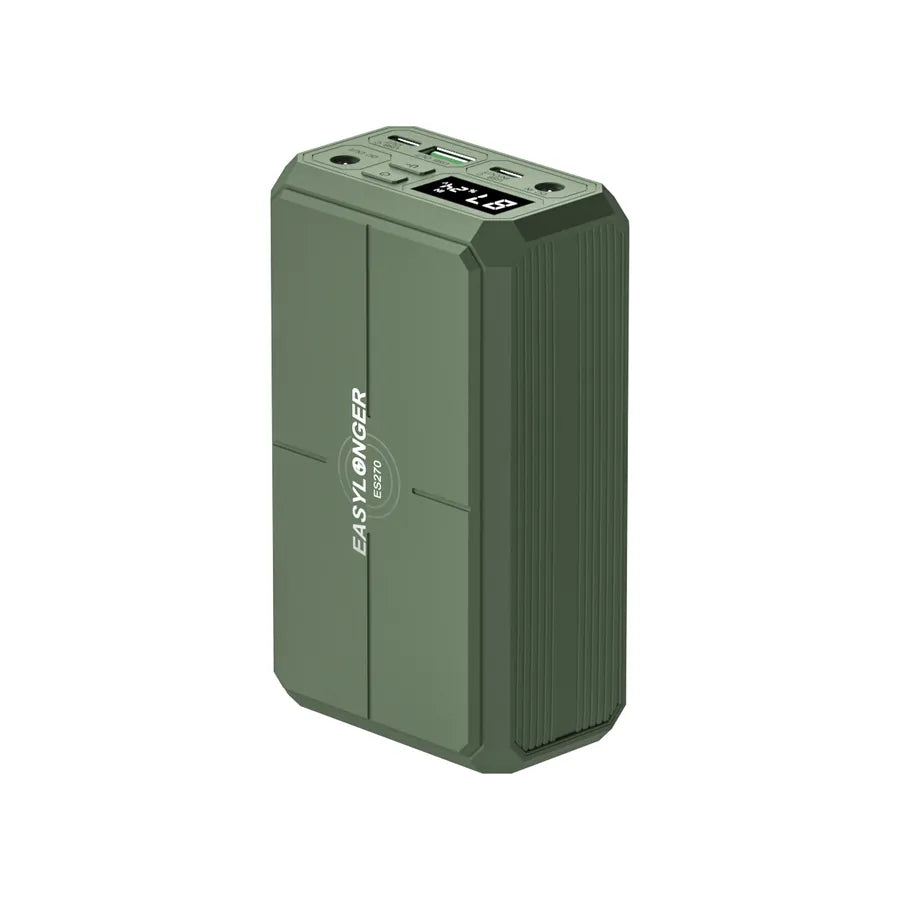
ES270
99.9Wh
Shop on Amazon.ca View details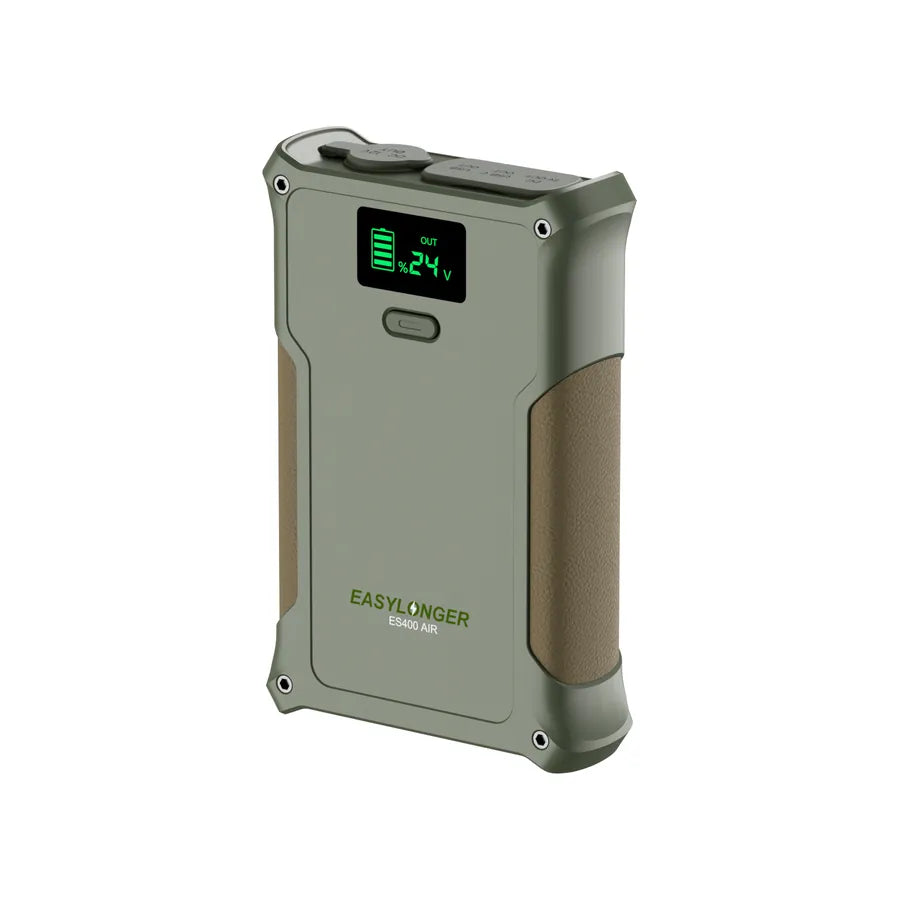
ES400 AIR
148Wh
Shop on Amazon.ca View details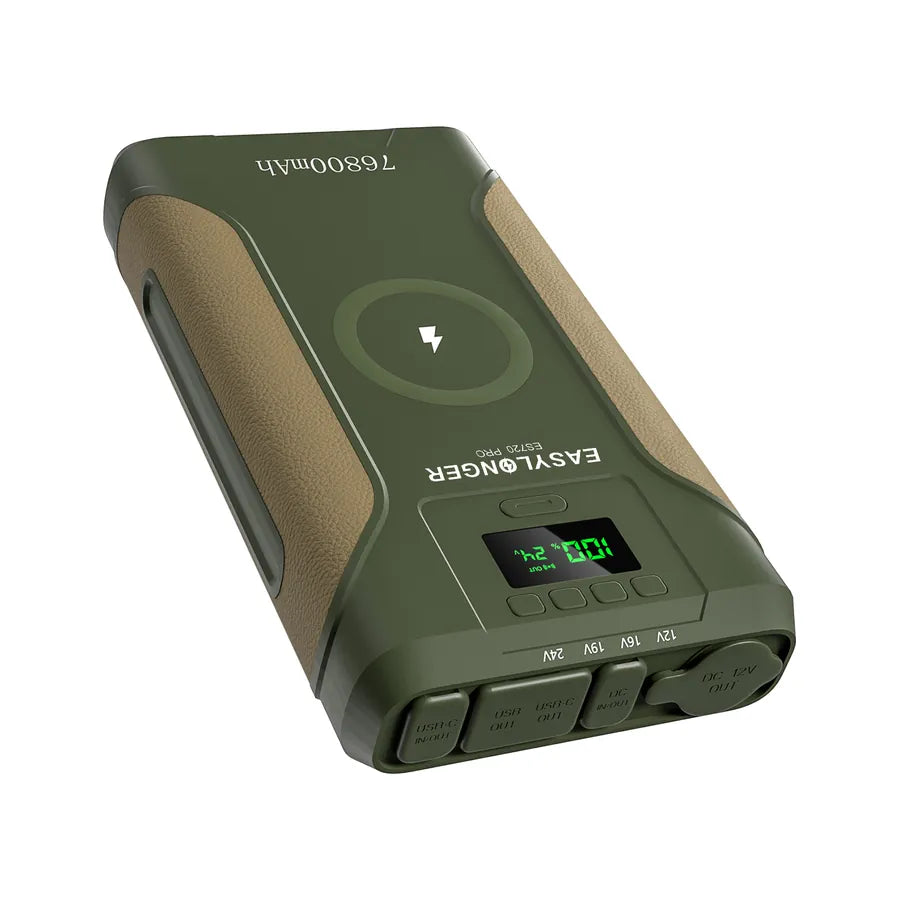
ES720 PRO (G4)
276.48Wh
Shop on Amazon.ca View details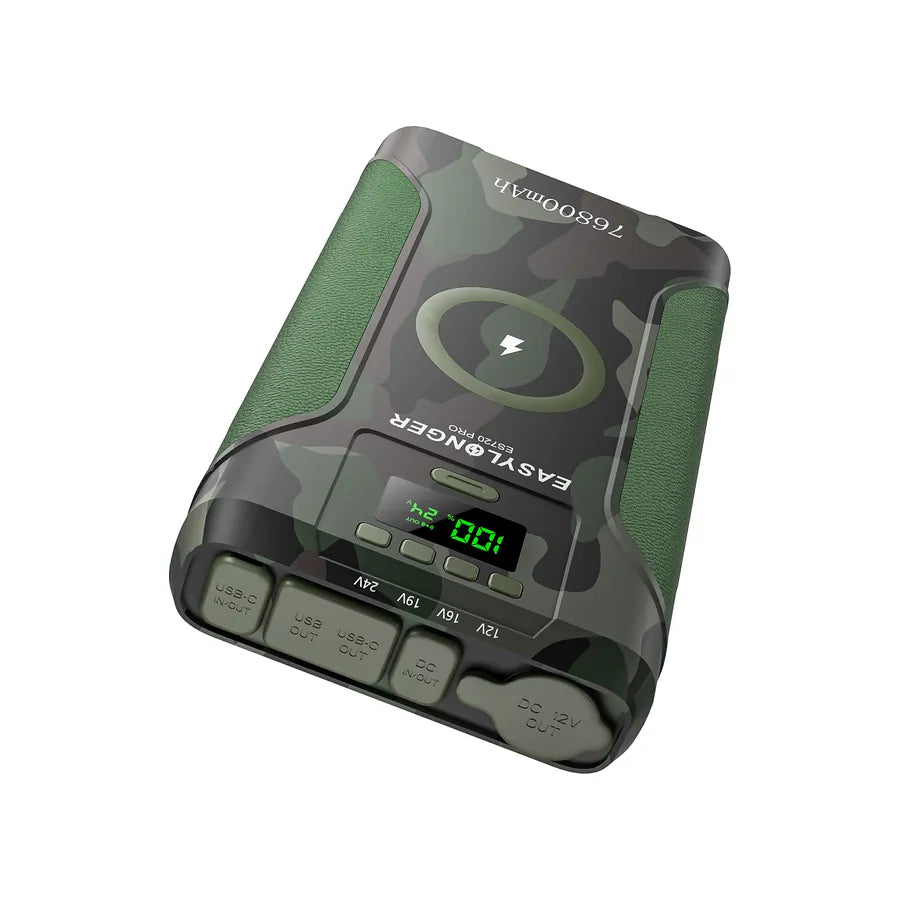
ES720 PRO Camo
276.48Wh
Shop on Amazon.ca View details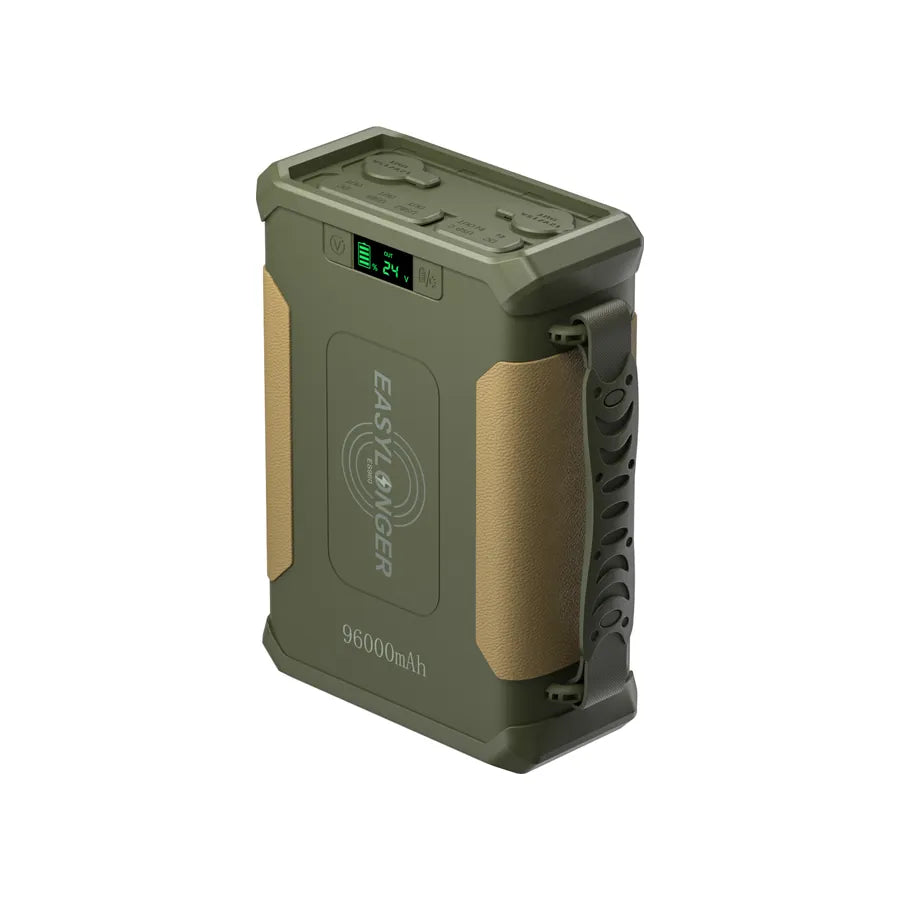
ES960
297.6Wh
Shop on Amazon.ca View details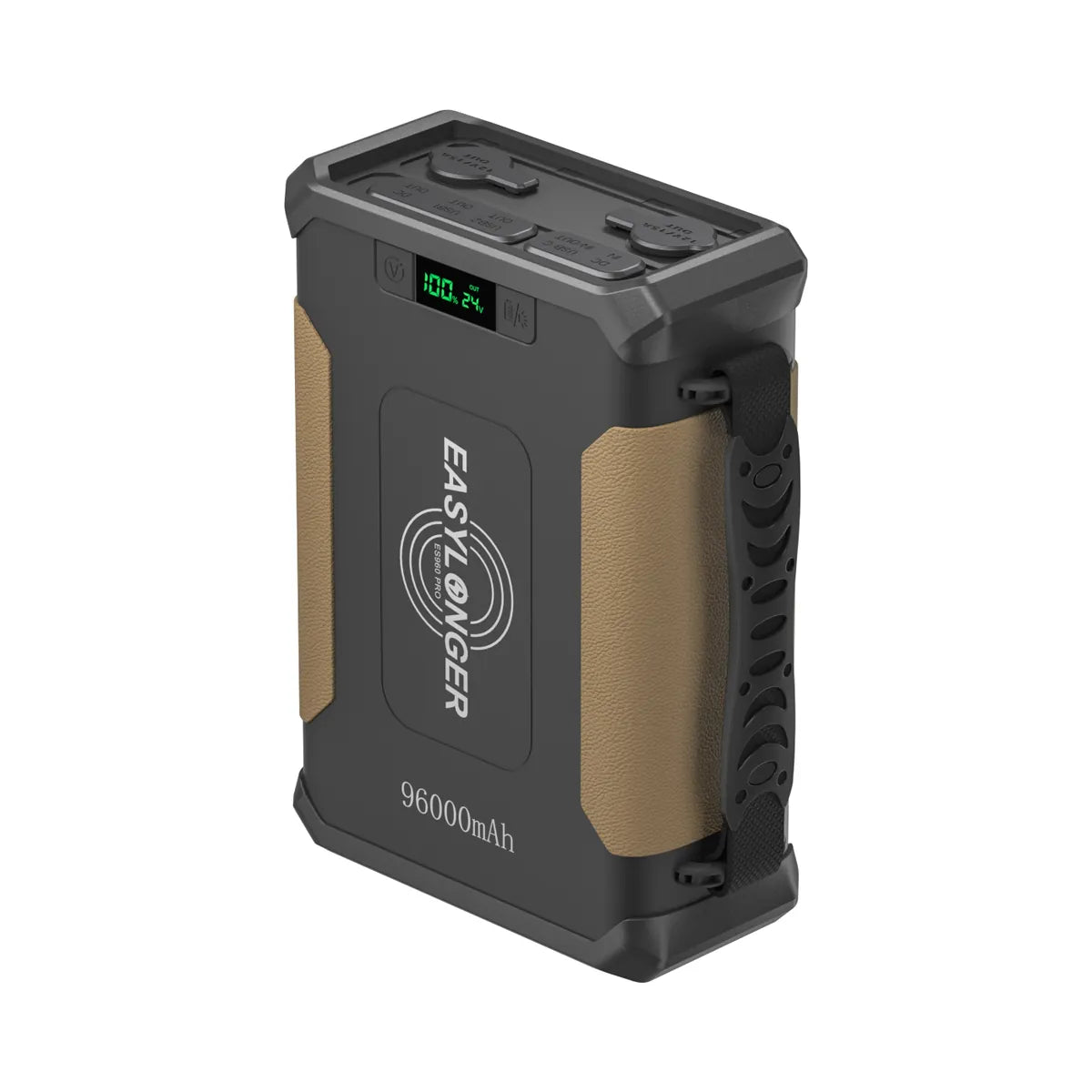
ES960 PRO
297.6Wh
Shop on Amazon.ca View details
ES960 PRO Camo
297.6Wh
Shop on Amazon.ca View detailsComplete your setup
Cables & accessories.
Check the listing for your exact battery and CPAP model before ordering.
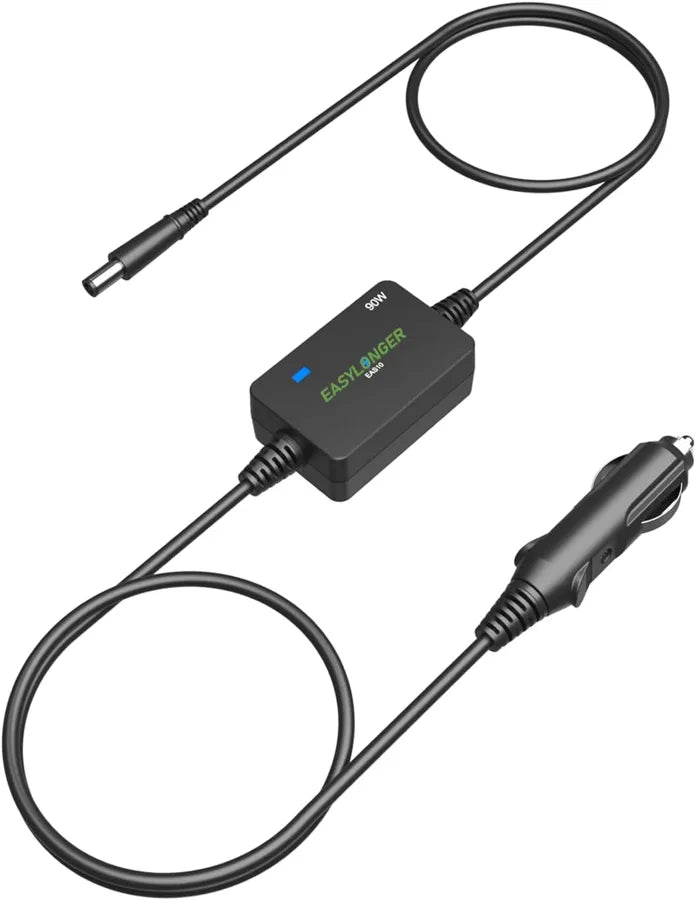
EAS10 Power Cord
For AirSense 10 / AirCurve 10
Shop on Amazon.ca View details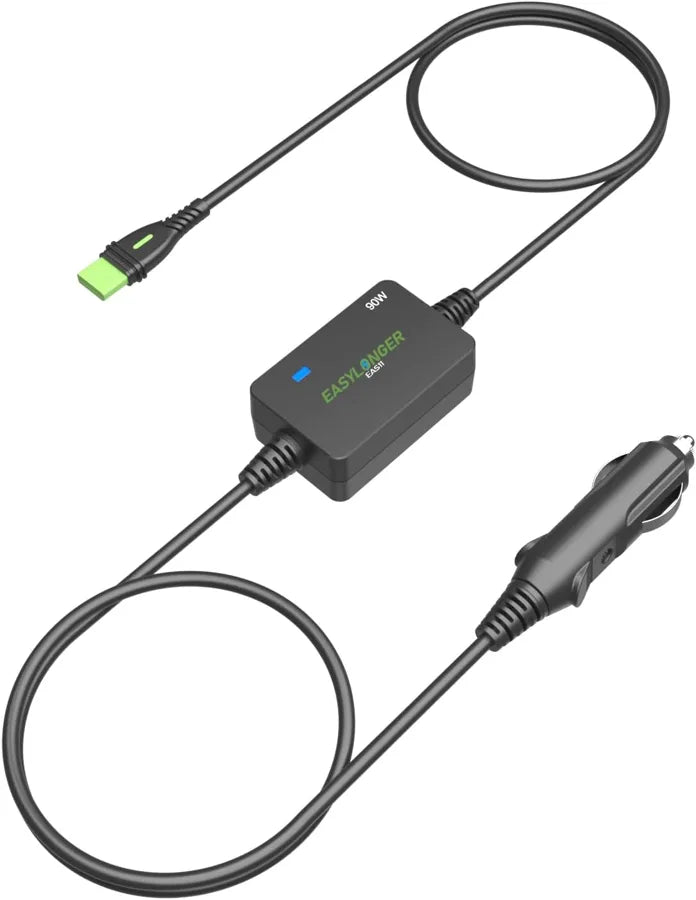
EAS11 Power Cord
For AirSense 11 / AirMini
Shop on Amazon.ca View details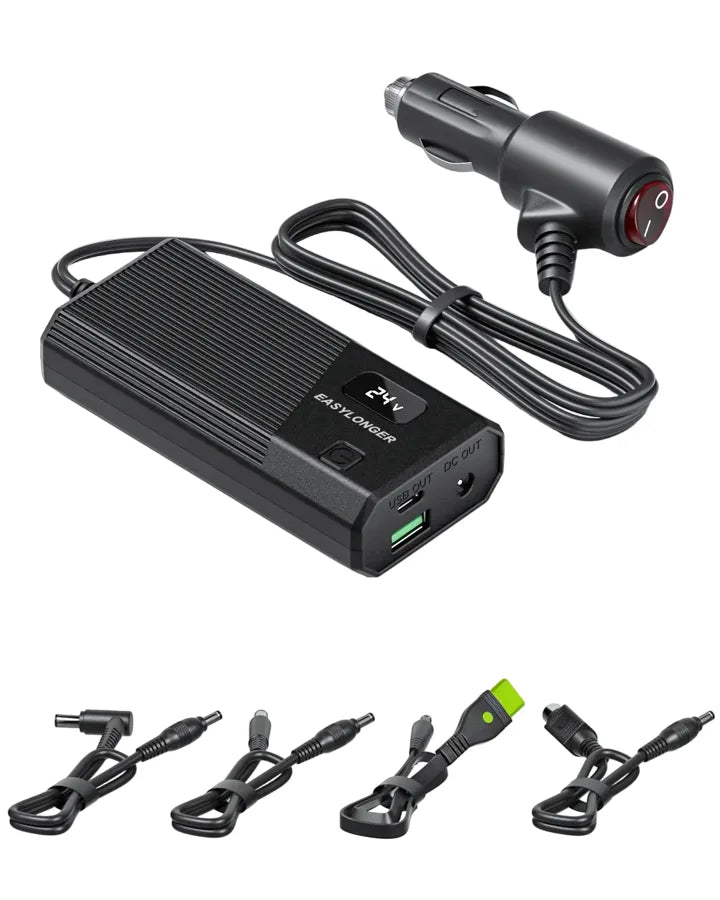
CPAP Car Adapter
Includes 4 CPAP cables
Shop on Amazon.ca View details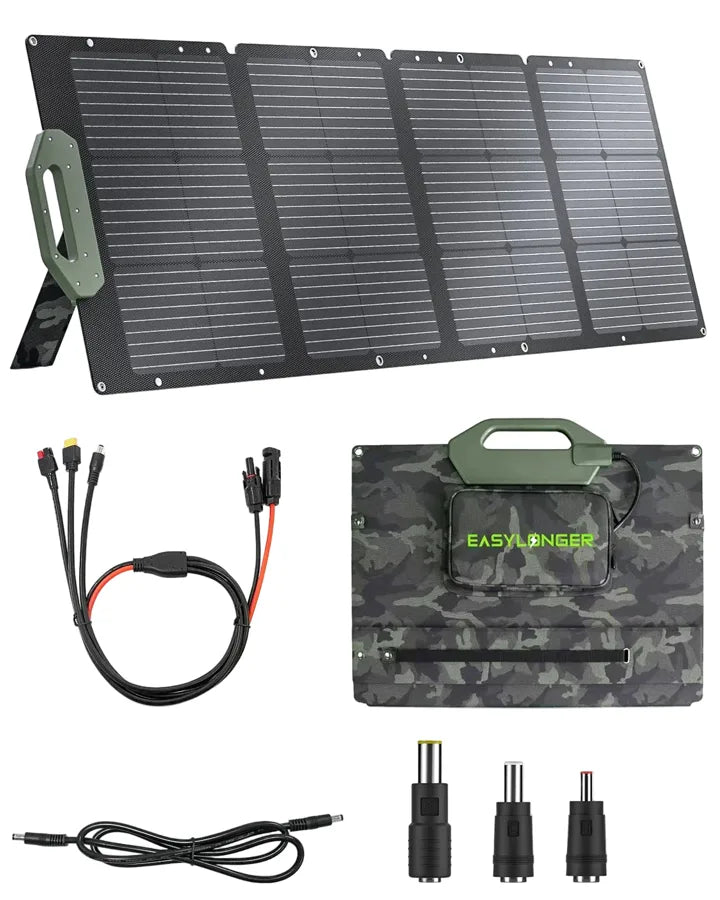
ESP110 Solar Panel
110W · Foldable solar panel
Shop on Amazon.ca View detailsBefore you order
Let's check your setup.
Not sure which battery or cable fits your CPAP? Send us the model and a photo of the power adapter label.
Ask supportWhere do I place my order?
Use a “Shop on Amazon.ca” button. Your cart, payment, delivery options and order support will be on Amazon.ca.
Which currency will I pay in?
These links open Amazon.ca, where the Canadian listing shows the current price in CAD. Check the final amount on Amazon.ca before paying.
Can I use an EASYLONGER.com discount or reward?
EASYLONGER.com discount codes and rewards do not apply to Amazon orders. Available Amazon offers are shown on the Amazon.ca listing.
Where can I find setup help?
Watch setup videos, or email support@easylonger.com for help with your model.